
Boardwise features
Everything in the free plugin
Search, applications, job alerts, an employer dashboard, paid listings and compliance checks, built as blocks for the WordPress editor. Every feature on this page is free on wordpress.org.
For job seekers
Search that narrows things down
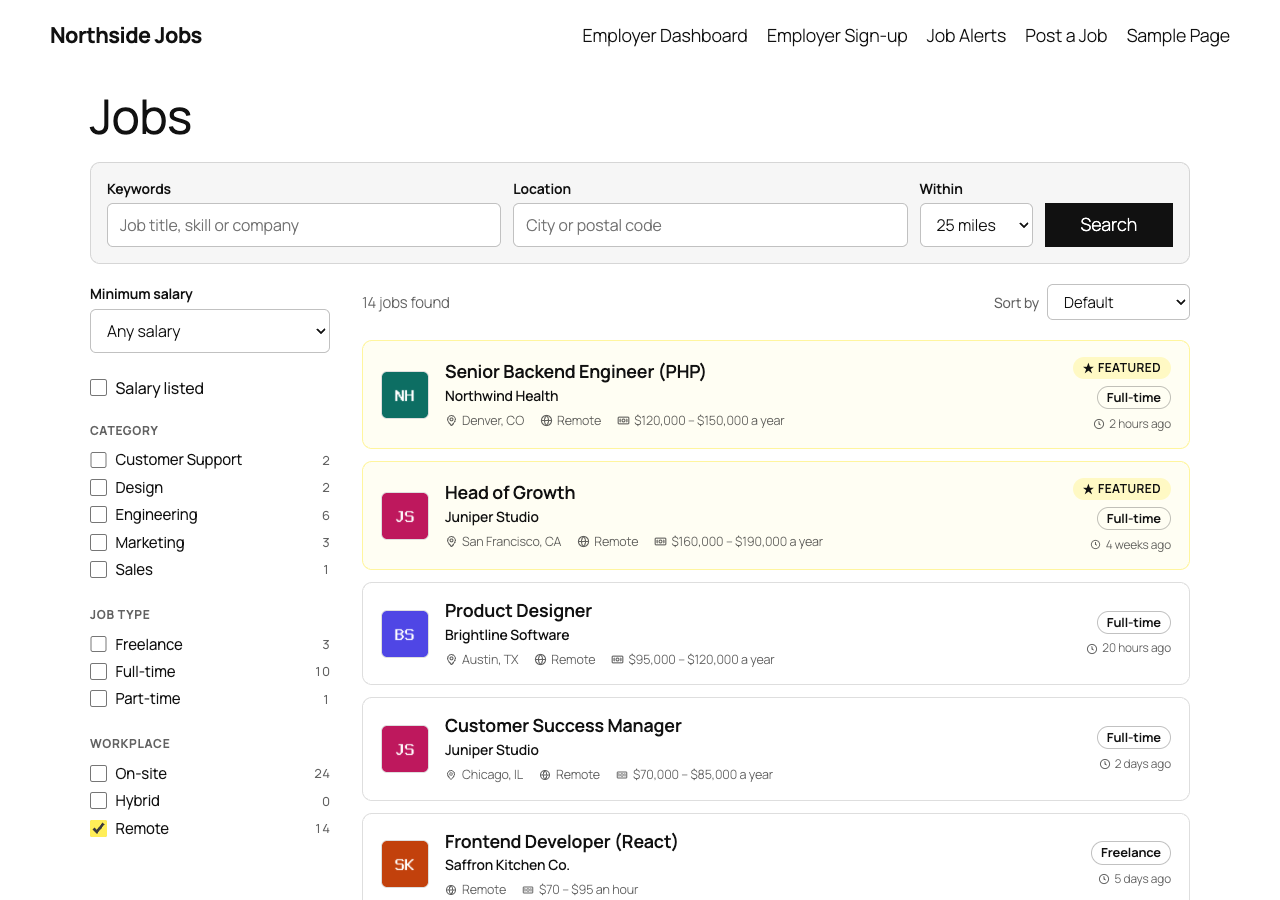
Job seekers search by keyword and location, choose how far they'll travel, and narrow the results with filters that show how many jobs each one leaves. Results update without reloading the page.
- Radius search in miles or kilometres, with postal codes and towns for the US, Canada, the UK and Australia built in
- Filters for category, job type, workplace (on-site, hybrid or remote) and minimum salary
- Every search has a shareable link
- Featured jobs stand out with a badge and a highlight
Job pages
The facts up front, and apply on the spot
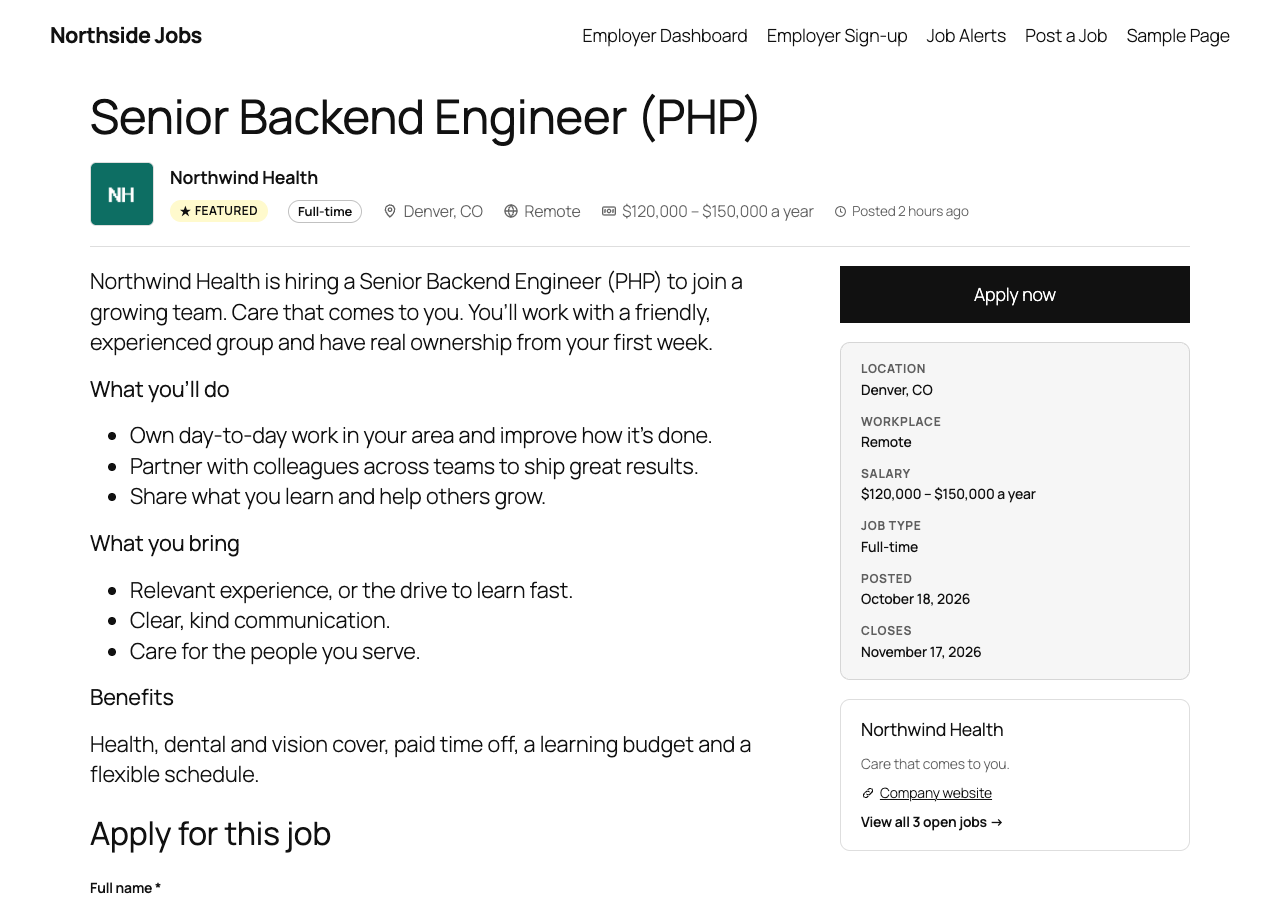
Each job page opens with the company, job type, location, salary and posting date, with a details panel and a company card beside the description. Candidates apply on the page with a resume, or follow a link to the employer's own site.
Resumes are stored in a private folder and only sent to the job's employer, an administrator or a moderator. When a job expires its page stays up with a notice and a link to open jobs, so search engines and bookmarks don't hit a dead end.
Job alerts
Turn any search into an email alert
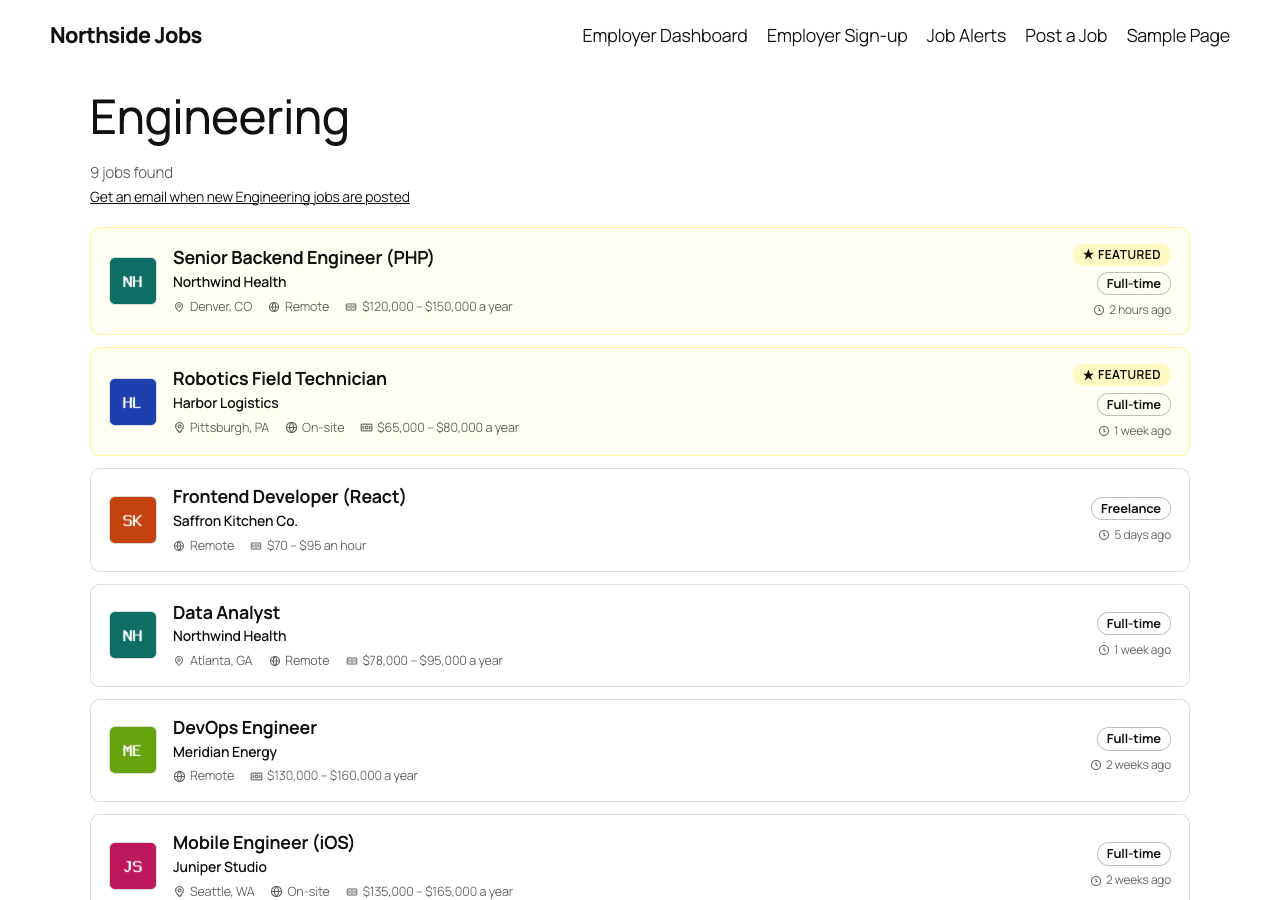
Job seekers can get new jobs by email from any search, category or job type page, including searches that found nothing yet. They confirm their address once, choose daily or weekly, and can change their keywords, location, filters and frequency later.
Every alert has a one-click unsubscribe. Alerts are free in Boardwise; WP Job Manager sells them as a paid add-on.
For employers
A dashboard for every employer
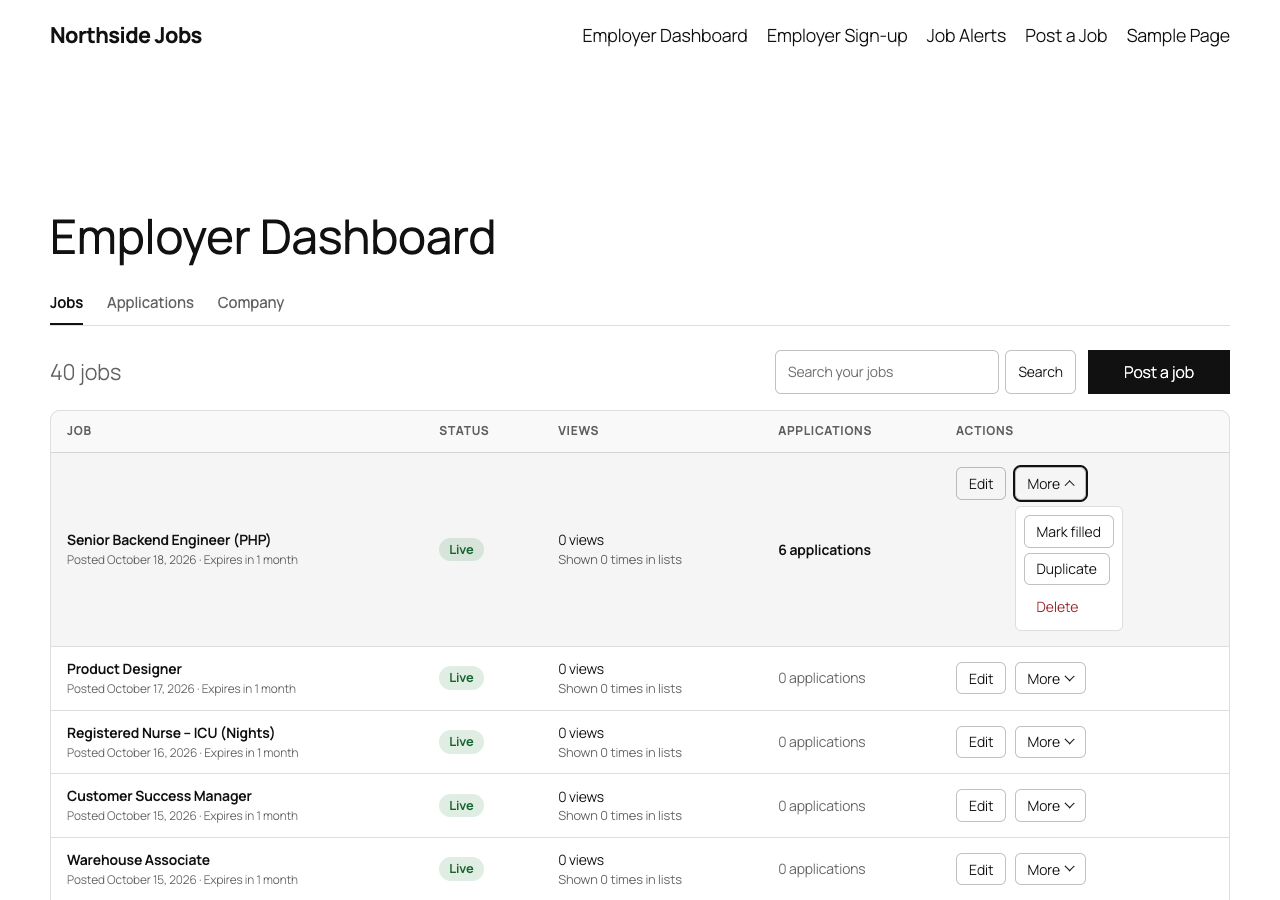
Employers see each job's status, views, how often it appeared in lists, and its applications. They can search their own jobs, edit them, mark them filled, or duplicate one to start a similar role.
- Views and impressions counted without cookies or personal data
- Emails five days before a job expires, and when it has expired
- A company profile with a logo, website and short description
Applications
Work through candidates in one place
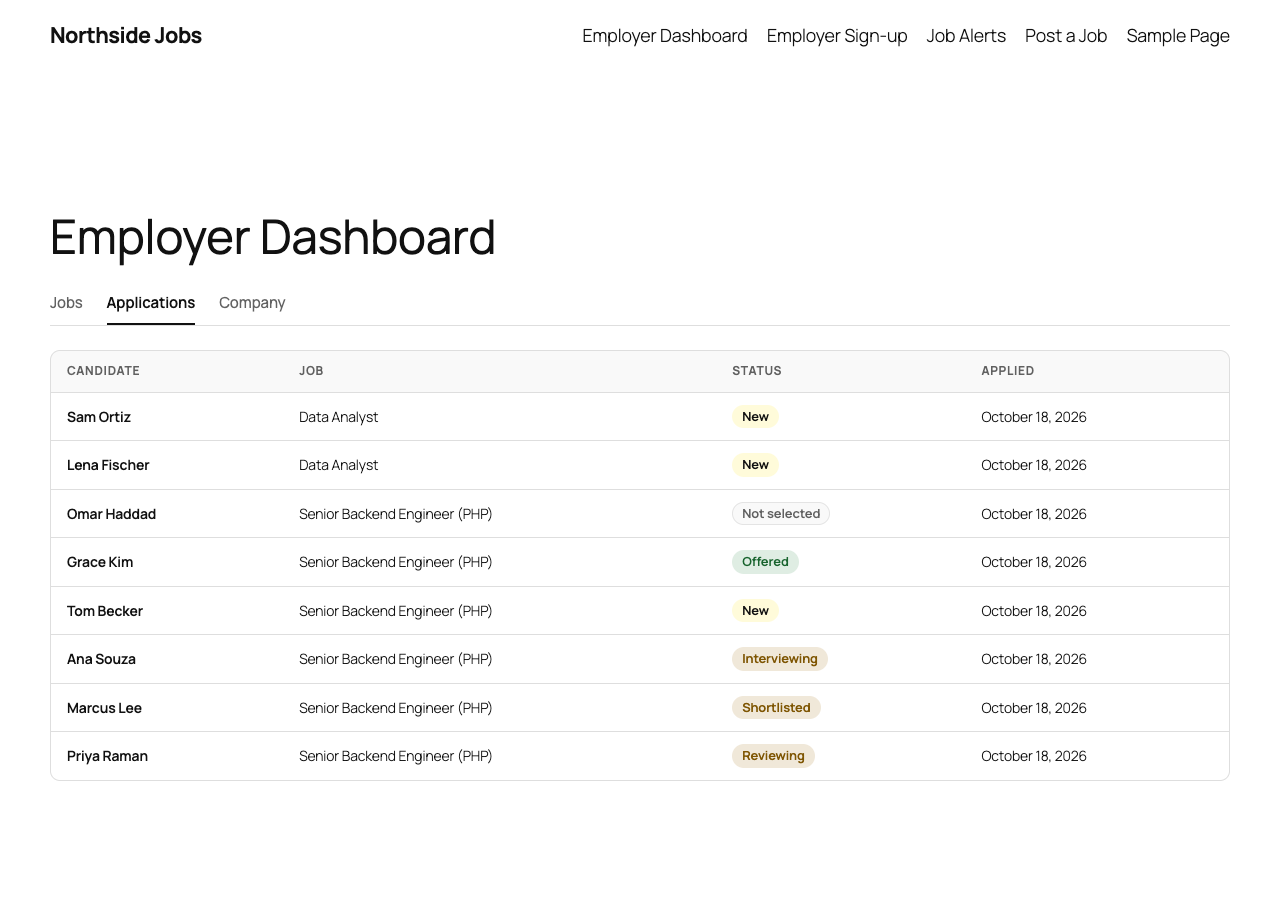
Every application lands in the employer's dashboard with its job, date and status. Employers move candidates from New through Reviewing, Shortlisted, Interviewing and Offered, add private notes, and candidates get an email when they apply.
Posting a job
Four steps and a preview
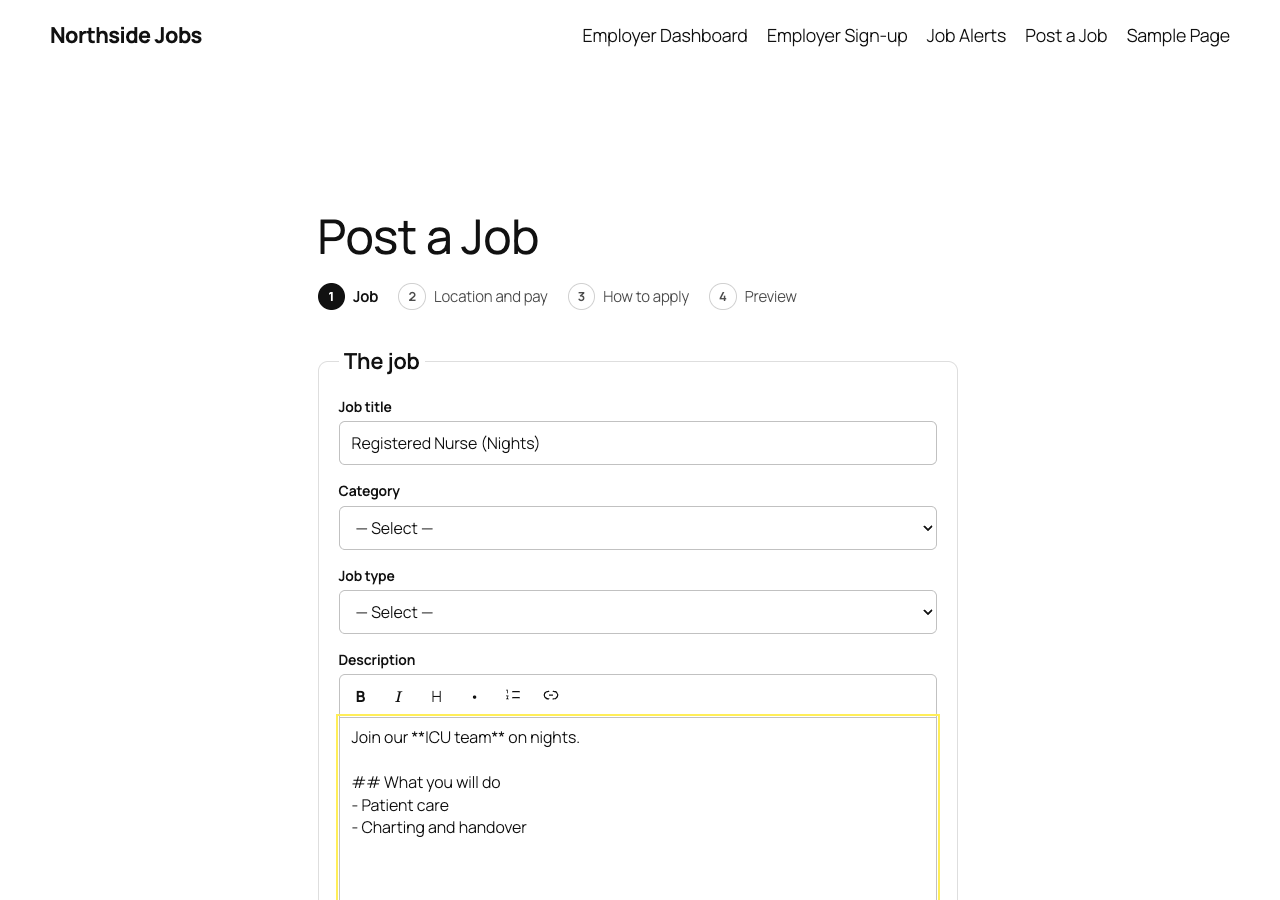
Employers post in four steps: the job, location and pay, how to apply, and a preview of the finished listing. The description has buttons for bold, italic, headings, lists and links.
Jobs can go live at once or wait in your moderation queue. Turn on paid listings and employers pay through Stripe Checkout before the job is submitted, with an optional "featured" upgrade.
For site owners
Run the board from WordPress
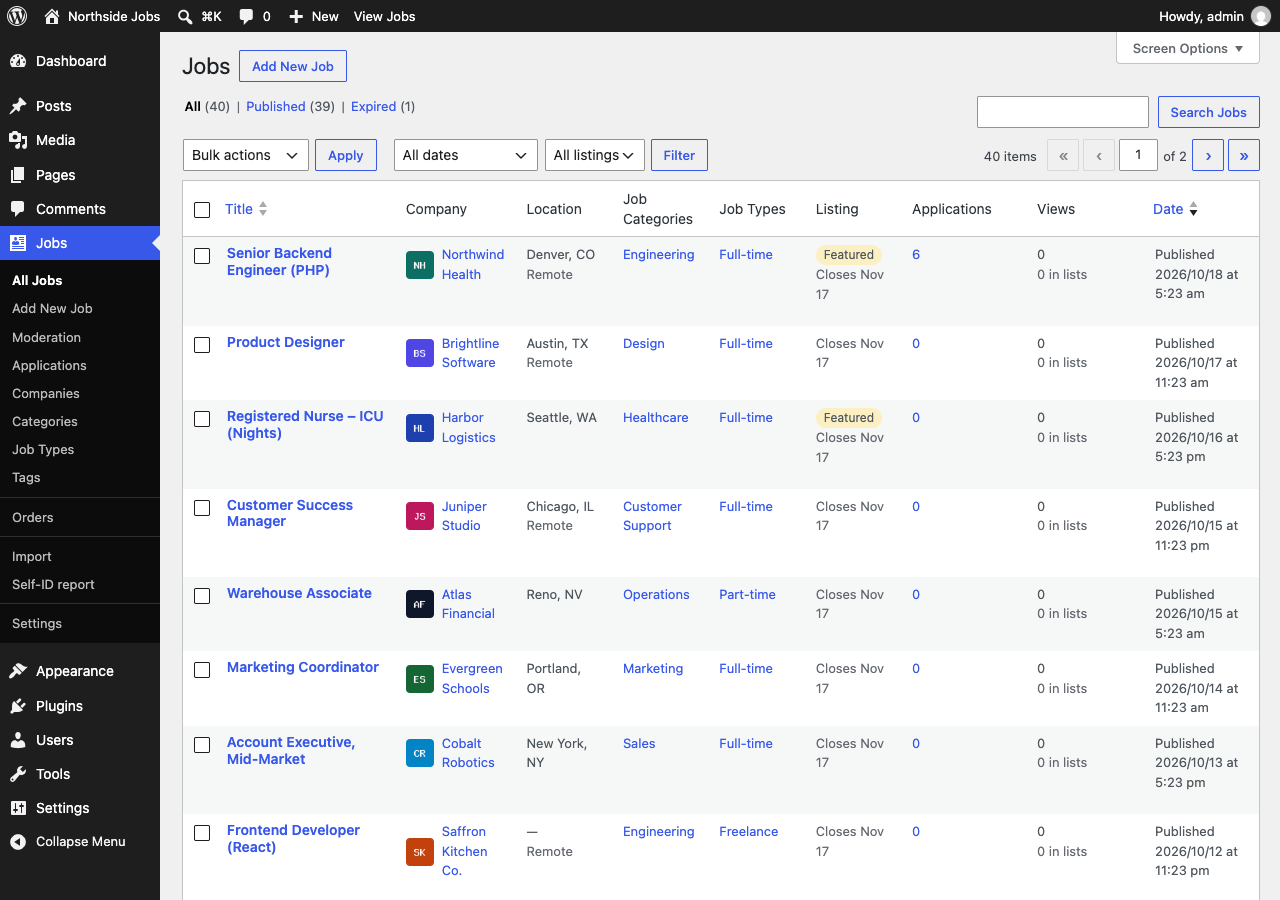
Jobs, applications, companies, moderation, orders, imports and settings sit together under one Jobs menu. The jobs list shows each job's company, location, listing type, applications and views at a glance.
- A marketplace with many employers, or a careers page for one company
- A Job details panel in the block editor
- A setup notice that creates the pages for you
Look and feel
At home in your theme, light or dark
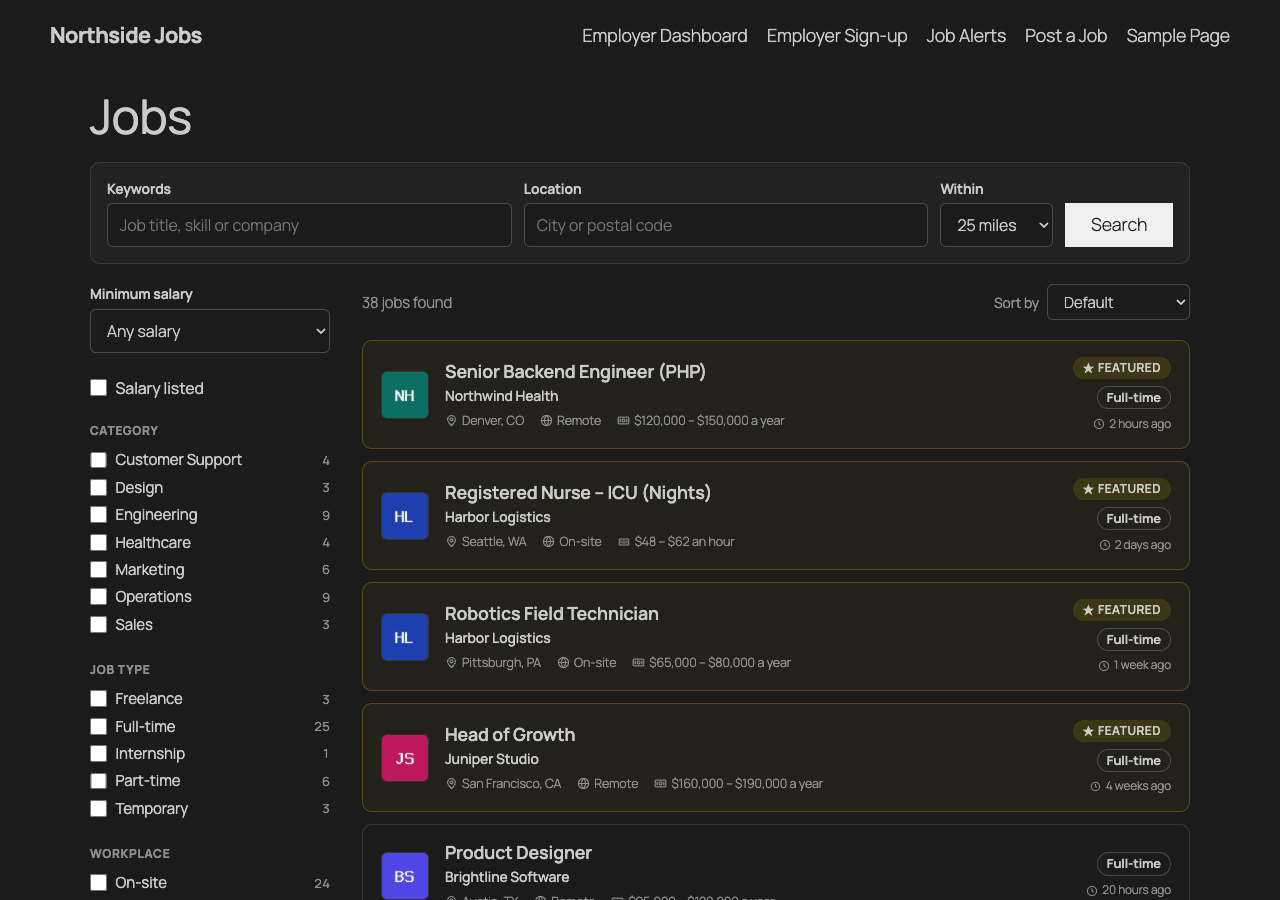
Boardwise is built from blocks and picks up your theme's fonts and colours. Search, job cards and forms stay readable on dark theme styles and on phones.
Classic themes and page builders can use shortcodes, and every template can be overridden from a boardwise/ folder in your theme.
And the rest
Pay transparency
Rules for US states and cities flag listings that may need a salary range, as a warning or a requirement before publishing. The rules summarise published laws; they aren't legal advice.
Fair-hiring checks
The moderation queue flags gendered job titles and questions about salary history. Optional EEO and VEVRAA self-identification is kept apart from applications and reported only as totals.
Privacy and retention
Consent records, WordPress's personal-data export and erasure, and automatic deletion of old applications and resumes after the period you choose.
Imports
WP Job Manager, Simple Job Board, WP Job Openings, CSV and XML, each with a dry run first and redirects from old job links. A Greenhouse job board can be added as a daily feed. Moving from WP Job Manager.
For developers
A REST API (boardwise/v1), WP-CLI commands, documented hooks, and provider interfaces for location lookup, feeds and more.
No calls home
Boardwise sends nothing to us. Outside services (Stripe, OpenStreetMap location lookup, extra GeoNames data, a Greenhouse feed) are used only when you switch on the feature that needs them.
Need packages, a hiring pipeline or a resume database?
Boardwise Pro adds the tools hosted job board platforms charge monthly for, with no share of your payments.